EU-native AI integration

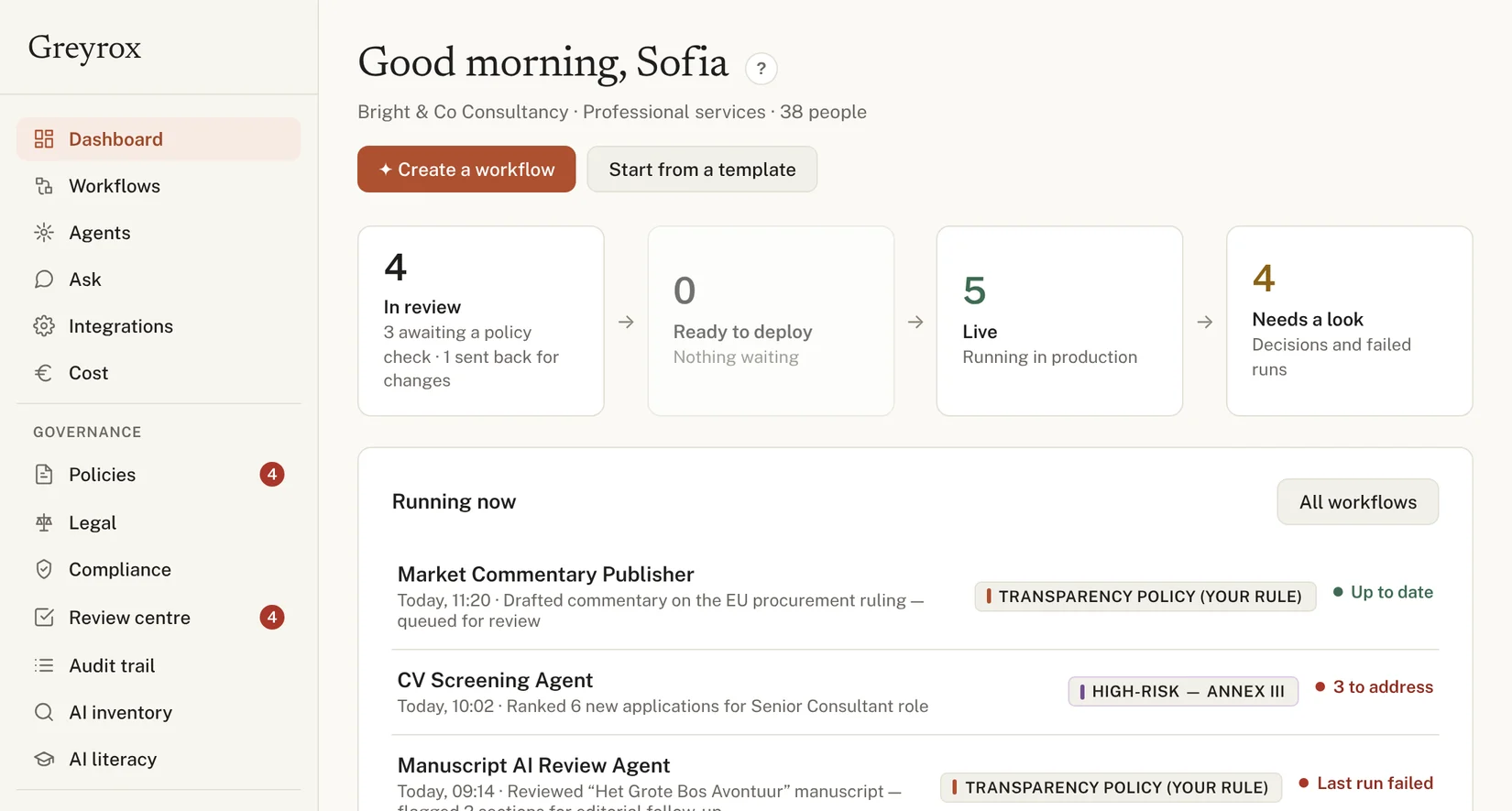
Describe the workflow. Greyrox builds it.

Connect the AI tools your team already uses, then create new workflows by typing a sentence — with permissions, an audit trail, and EU AI Act classification attached from the first run.

Built for teams of 10–250 · Typically live in 2–3 weeks

Why integrate

The case for AI isn't compliance. It's hours.

Your team gets hours back, clients get faster answers, and you stop falling behind competitors already doing this. Governance is what makes it safe to keep going — but it isn't why you start.

5+ hrs
saved per week, per employee

Hours back every week

Routine drafting, summarising, and data entry get handled automatically — freeing your team for the work only they can do.

McKinsey, 13,000+ workers across 15 countries, 2026
up to 56%
faster task completion

Faster turnaround for clients

Responses and deliverables move in a fraction of the time, without adding headcount to keep up with demand.

Harvard Business Review, 2026
58%
now produce work they couldn't a year ago

Consistency at scale

The same quality bar on the first task of the day and the fiftieth — less depends on who's busy or who's tired.

Microsoft Work Trend Index, 20,000 knowledge workers, 2026
88%
of organisations use AI somewhere in the business

Keep pace without a tech team

Connect the AI tools already changing your industry, without hiring engineers to wire them together yourself.

McKinsey, 2025

Figures reflect broader workplace AI research, not Greyrox's own measured customer results.

The gap

Nobody set out to build a governance gap. It adds up one integration at a time.

Most companies are already using AI somewhere — in email, in a browser extension, in a tool a client asked for. "Shadow AI" is the part nobody signed off on: a personal ChatGPT account used for client work, a free trial that quietly became a daily habit. Nobody's being reckless. It's just how tools spread when there's no single place to see them all.

What leadership thinks is running
Company email & docsApproved
CRM assistantApproved
Meeting notetakerApproved
What discovery actually findsDiscovered
Company email & docsApproved
CRM assistantApproved
Meeting notetakerApproved
Personal ChatGPT accountShadow
Unvetted browser extensionShadow
Third-party CV screening toolShadow

Greyrox continuously scans for AI activity across your systems — sanctioned or not — and surfaces anything unreviewed the moment it appears.

Visibility

You don't know where AI runs

Staff adopt AI tools faster than IT can track them. There's no single list of what's connected to what.

Fragmentation

Point solutions don't add up

One tool flags data leaks, another checks model bias, a third does access logs. None of them talk to each other.

Capability

Compliance guidance assumes a team

Most AI governance advice is written for enterprises with dedicated compliance staff. You have neither the time nor the headcount.

How it works

One engine. Discover, Understand, Act.

That's the whole engine. The tools you already trust plug in around it, so you get one interface instead of five logins.

01 · Discover

Find every AI tool in use

A baseline sweep across your systems and spend, then continuous monitoring — so a new tool shows up the week it appears, not at the next audit.

02 · Understand

Classify what it actually is

Each workflow is tied to its real EU AI Act tier and its own open actions, with permissions and an audit trail applied as it goes.

03 · Act

Roll out the next one safely

Recommended, reviewed, then monitored before it becomes routine — the same guardrails on the tenth workflow as on the first.

Requests
AI agent
Enforces & logs
Greyrox gateway
Acts on
Your systems

However many AI tools you connect, they all pass through the same layer — so every action, from any agent, gets the same identity check, permission, and log entry.

What the gateway guarantees
One connection point
Every agent, from every tool, calls through the same gateway — not five logins with five risk profiles.
Every agent has its own identity
No shared logins. You always know exactly which agent did what.
Per-action approval
An agent cleared to draft emails isn't automatically cleared to send them.
A record of everything
Every action an agent takes is logged automatically — nothing to reconstruct after the fact if something needs review.
Humans stay in the loop
Anything sensitive pauses for a person to approve instead of running unattended.
Getting live2–3 weeks
01 · Platform demo
Walked through using your own tools
30-min call
02 · Discovery
Baseline sweep, then monitored continuously
1–2 days
03 · Governance
Permissions and audit trails applied
Same week
04 · Guided adoption
Recommended, reviewed, then monitored before routine
Ongoing

Want to try it yourself first? Jump to Create with AI — no call required.

Create with AI

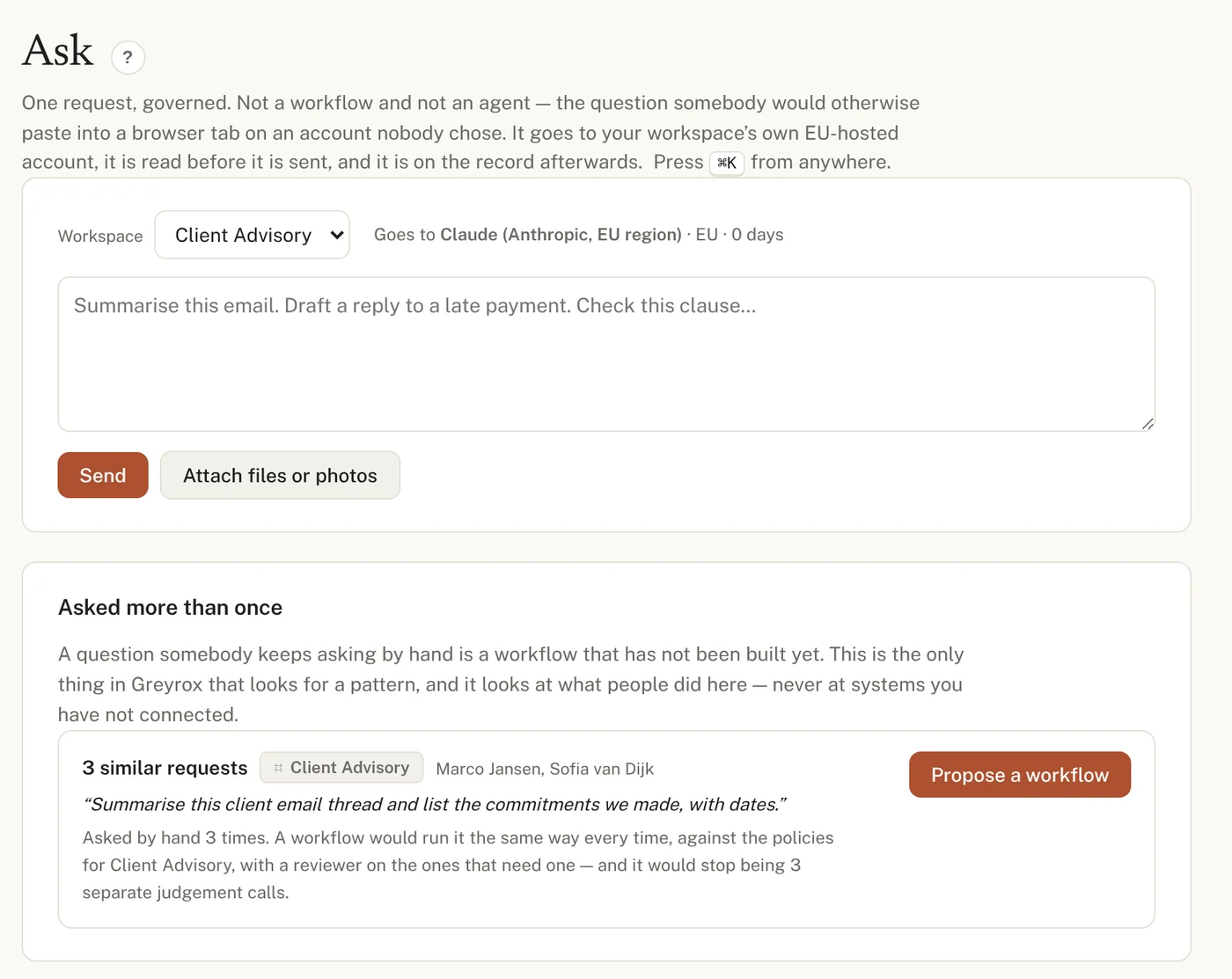
Refine it in the chat. Send it through review.

No canvas required to start. Type what you want in plain English and watch the steps take shape as you refine it — then send it for review, or hand-build it yourself node by node if you'd rather.

Steps can connect to
Gmail Google Drive Asana Slack Salesforce + 20 more
Create with AI Drafting
Something that reads new client briefs and drafts a project plan for our team.
Got it — I've drafted five steps below. The plan lands in your project tracker for the team to review.
Also flag anything mentioning pricing for review.
Added — any plan mentioning pricing will need approval before it's used.
Building your workflow
Trigger
New client brief received
Agent
Summarise & extract key terms
Reads
Client folder & past plans
Writes
Draft plan to project tracker
Outcome
Team reviews before it's sent

← swipe to see the full workflow →

Before it goes live

Every draft — chat-built or hand-built — goes through policy review before it goes live. A cost or convenience fix can never quietly skip that step.

EU AI Act

Every workflow carries its real classification — not a gut feeling.

The tier is what the workflow is: it follows from what the workflow touches and it barely changes. The open actions are the work state — that's the number that moves as you close things out. Greyrox keeps them apart, and keeps them attached to the workflow all the way into production.

Compliance snapshot3 of 6 workflows shown
Minimal risk
Invoice Intake Agent
Finance · no open actions

Draft-only, human-approved financial processing — covered by general AI-literacy obligations only.

Low concern
Limited risk · Art. 50
Client Onboarding Assistant
Client advisory · 1 open action

Sends content directly to a person outside the company, so the Article 50 transparency obligations apply — in force since 2 August 2026. Its send step is held for a person to approve until a named sender is set.

Worth a closer look
High risk · Annex III
CV Screening Agent
HR · 3 open actions

Recruitment screening is explicitly listed as high-risk under Annex III. Which obligations land on you depends on whether you built the system or deploy a vendor's — either way they are due ahead of the 2 December 2027 deadline.

Address this

Greyrox doesn't just flag something as "risky" in the abstract. Each workflow is tied to its real classification under the EU AI Act, with the article it rests on — so you know exactly what applies to you and what doesn't.

Cost visibility

See what every workflow costs — before the invoice tells you.

Most companies find out what AI costs when the bill arrives. Greyrox tracks real spend per workflow and flags cheaper alternatives — but only when the task is templated, the risk is low, and the alternative is still EU-hosted. A high-risk workflow never gets switched just to save money.

€2,340
monthly spend
18,600
runs this month
€0.13
avg. cost per run
€780
savings identified
RecommendationsReviewed weekly
Minimal risk
Invoice Intake Agent
GPT-4 → Mistral Large (EU) — same task, templated and low-risk.
45% saving
Limited risk · Art. 50
Client Onboarding Assistant
GPT-4 → Mistral Large (EU) — flagged as a safe switch to suggest.
60% saving
High risk · Annex III
CV Screening Agent
Stays where it is — high-risk workflows aren't switched for cost.
Not switched

Every suggested switch still goes through policy review before it's live — a cost fix can never quietly change what a workflow does or where the data goes. Figures shown are illustrative.

See it in action

Everything your agents are doing, on one screen.

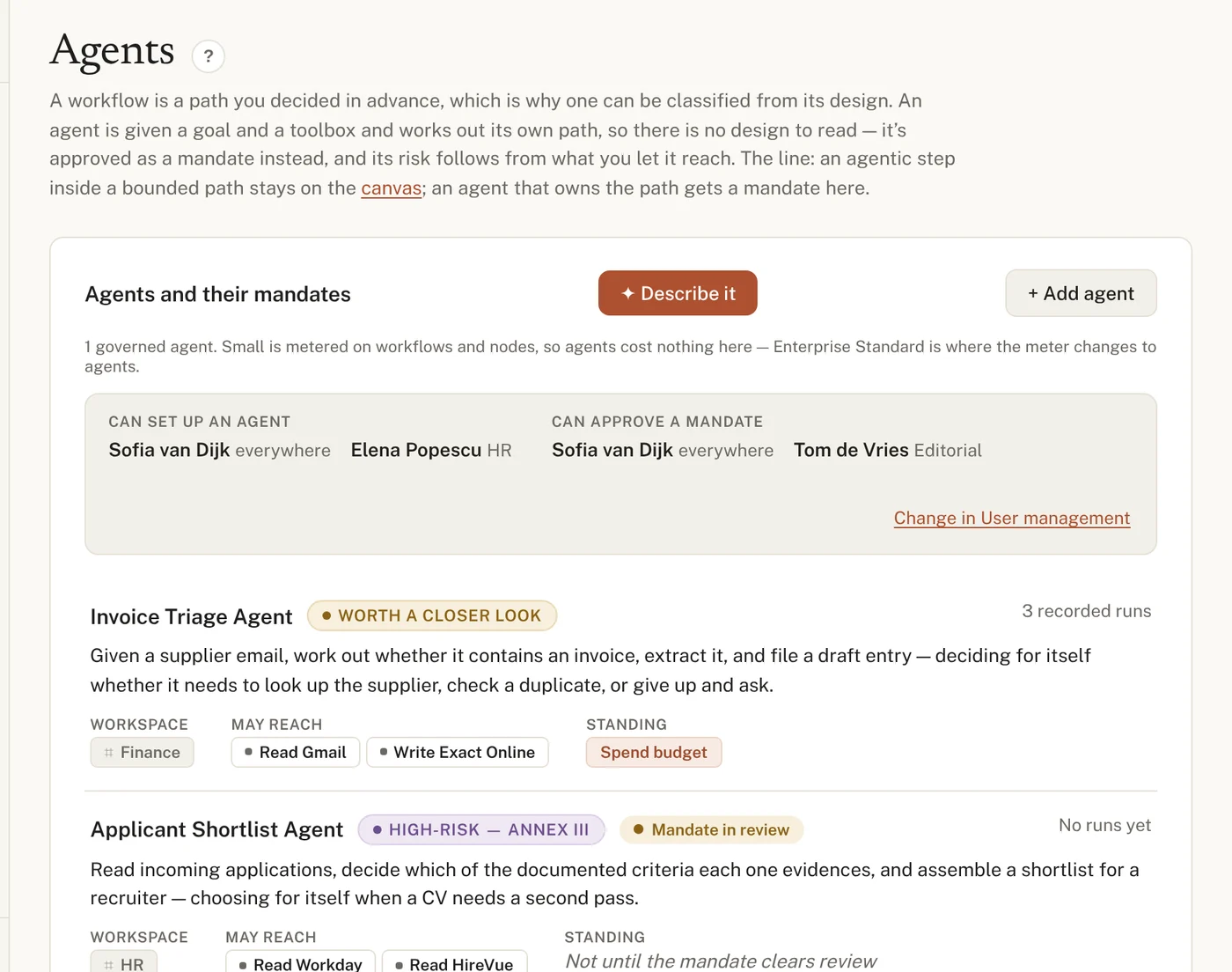
The agents do the work. Greyrox sits in between — logging what they touched, and holding anything sensitive for a person to approve first.

Client Onboarding AssistantActive
Send the onboarding welcome email to our new client.
Drafted the welcome email from our template. It goes directly to a person outside the company, so I'm holding it for your approval — that's the Article 50 transparency requirement on this workflow, and your client-communications policy asks for a named sender.
✓ Read client details ✓ Draft welcome email Send email — awaiting approval
Permissions4 connected systems
Read documents
Google Drive, Gmail
Auto-approved
Draft content
Gmail drafts
Auto-approved
Send emails
Outbound to clients
Needs approval
Delete records
Any system
Blocked
Integration capabilities

The engine sits in the middle. Your tools plug in around it.

Greyrox isn't another point solution to add to the pile. The discovery and risk-status engine is built in-house — the AI tools your teams already use, or want to start using, connect into it, so every workflow gets the same visibility and the same guardrails.

Content & editorial
Drafting, translation & review
Writing, editing, translation, and brand-style review — inside the tools your team already opens every day.
GrammarlyDeepLGoogle DocsNotion
Data & documents
Extraction & summarisation
Pull key terms from contracts and invoices, transcribe meetings, and summarise long documents automatically.
DocuSignOtter.aiGoogle DriveSharePoint
Workflow & automation
Orchestration across tools
Route tasks and approvals, trigger actions across systems, and escalate anything sensitive to a human.
AsanaJiraZapierSlack
Customer-facing
Support & screening
Assist support agents, screen candidates, and power client-facing chat — with every action logged.
ZendeskGreenhouseIntercomSalesforce

Every integration inherits the same permissioning, audit log, and risk status — no matter which vendor it comes from.

Use cases

Real editorial and operational workflows, not hypotheticals.

Greyrox works alongside teams as they figure out where AI actually helps — and puts governance in place as they go, rather than after the fact.

Gottmer
Children's publishing · Netherlands
Early design partner
The situation

Editorial and production teams were already experimenting with AI for drafting, translation, and production tasks — with no shared view of which tools were in use or how content involving children's material was being handled.

What Greyrox did

A guided AI workflow consultation mapped where AI could safely accelerate editorial and production work, then set governance guardrails suited to a publisher handling children's content — establishing the risk-status baseline before rolling out any new workflow.

Where it stands

Ongoing engagement, now expanding from initial workflow discovery into guided adoption of the recommended AI tools.

About us · Est. 2023

Built by people who've lived the integration mess firsthand.

Greyrox started from a simple observation: companies weren't struggling to find AI tools — they were struggling to trust them enough to actually turn them on. After years building integration and automation platforms for companies across Europe, we kept seeing the same pattern: a promising AI pilot, an excited team, and then a stall the moment someone asked "wait, what is this actually doing with our data?"

We built Greyrox to remove that stall — a way to say yes to AI without needing a compliance department to do it.

Erik Driessen
Founder
Over two decades building and running technology and integration businesses before starting Greyrox.
Arunas Bendoraitis
CTO
Leads the core discovery and risk-status engine that every integration plugs into.

Book your free demo.

A 30-minute walkthrough of the platform, using your actual tools and workflows as the example — see discovery, governance, and Create with AI in action before you commit to anything.

Book your demo